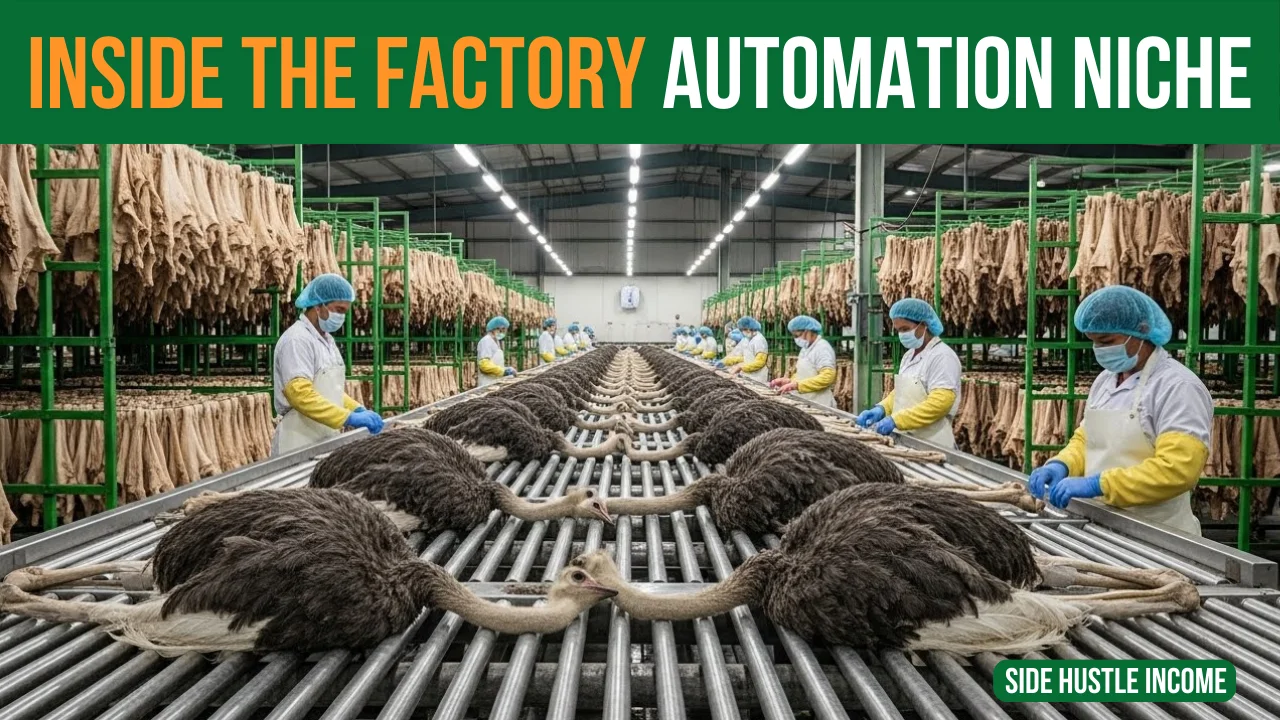
YouTube automation has changed completely. Earlier, faceless channels used simple slideshows with pictures and text.
Now, with AI video tools like;
- Sora
- Veo
- Helio
- Flow
- Whisk
- Gemini
- ChatGPT
the game has shifted to full video stories – especially factory and process videos.
Below is a clear, English blog version of that tutorial.
The New YouTube Automation Niche: “Inside the Factory” AI Videos
A new YouTube niche has appeared recently (around a month old), and some channels are already getting millions of views with very few videos.
The niche is simple:
Show the inside of factories and the full process of how products are made – using AI‑generated videos.
Examples:
- Inside a leather factory (ostrich, python, shark, horse, Watermelon etc.)
- Inside a Coca‑Cola factory
- Inside a chocolate factory
- Inside a watch strap factory
- Inside a shoe factory
- Inside a chips/snacks factory
People have a natural curiosity:
“How is this made?” and “What does the factory look like inside?”
These videos answer exactly that.
Case Study: A Fast‑Growing Channel in This Niche
One main competitor channel in this niche (similar to Next Gen Process) is doing roughly this:
- Only 35 videos uploaded
- Already 71k+ subscribers
- Over 20 million views
- Channel age: About 1.5 months
- Category: Lifestyle
- Country set to: USA
- Average video length: 10–15 minutes
- Upload schedule: Around 3 videos per week
- Estimated monthly earnings: roughly $25,000–$35,000+ (based on SocialBlade‑style estimates; real income may vary)
This shows:
- The niche is new
- Competition is still low
- Potential is high if you execute well
What Exactly Does the Channel Do?
Content pattern:
- Titles like:
- “Inside the Ostrich Leather Factory (Full Process)”
- “Inside the Horse Leather Factory – How Million Dollar Products Are Made”
- Thumbnails:
- Industrial look
- Inside views of factory floors
- Workers handling leather, machines, conveyor belts, etc.
- Video:
- Completely AI‑generated using text‑to‑video tools like Veo / Flow
- Story‑driven: from raw material → processing → finishing → packaging
You can follow the same model, but with your own topics and branding.
Full Workflow: How to Create These Videos with AI
Here’s the complete step‑by‑step pipeline taken from the script and turned into a clean workflow.
Step 1 – Find Topics (Factory Niches)
Start with a list of “inside the factory” ideas. Example topics:
- Ostrich leather
- Python skin leather
- Shark leather
- Horse leather
- Coca‑Cola factory
- Chips factory
- Chocolate factory
- Denim jeans factory
- Watch strap factory
- Shoe factory
- Car manufacturing
- Toy factory
If you need more ideas:
- Ask Gemini / ChatGPT / DeepSeek:
“Give me 50 interesting factory process topics for YouTube videos that show how things are made inside.”
Each topic can give you multiple videos with different angles.
Step 2 – Generate 50–100 Video Titles Per Topic
Use an AI title prompt. For example:
“You are a professional YouTube title writer.
Topic: Ostrich leather.
Audience: People who love factory process and ‘how it’s made’ videos.
Style: Use phrases like ‘Inside the ___ Factory’, ‘Full Process’, ‘How ___ Is Made’, ‘Million Dollar Products’.
Task: Give me 101 highly clickable YouTube titles.”
You’ll get ideas like:
- “Inside the Ostrich Leather Factory (Full Process)”
- “Inside the Exotic Leather Facility – How Premium Skins Are Processed”
- “Inside the Watch Strap Factory – How Ostrich Leather Straps Are Made”
- “How Million Dollar Ostrich Leather Products Are Made Inside This Factory”
Choose 1 main title to work with, for example:
Inside the Watch Strap Factory – How Ostrich Leather Watch Straps Are Made
You’ll reuse this title in script, thumbnail, and SEO steps.
Step 3 – Create a Detailed Script (Acts & Scenes)
Now you need a story/script that describes the whole process.
Use a script prompt like:
“Write a detailed YouTube documentary script for a video titled: ‘Inside the Watch Strap Factory – How Ostrich Leather Watch Straps Are Made’.
Break it into Acts and Scenes.
For each scene, provide:
- Visual description (what we see inside the factory)
- Voice‑over text
- Short on‑screen text (optional)
- Ambient sound (factory noise, machines, etc.)
Style: Simple, informative, engaging English.
Show the entire process: from raw ostrich leather to finished luxury watch strap.”
Important practical note from the original script:
- Even if you ask for “40–50 minutes” of script, most AIs will give:
- Roughly 3–5 minutes of actual usable content.
- As a rule of thumb:
- “1 hour” requested ≈ 3–4 minutes of real video
- “2 hours” requested ≈ 6–7 minutes
- “3 hours” requested ≈ 9–10 minutes
So for a 10–15 minute video:
- Either ask for a “2–3 hour documentary script”
or - Plan to generate more visual prompts later (60–90 short scenes).
Step 4 – Convert the Script into Visual Prompts (Shot List)
To use text‑to‑video tools, you need your script broken into short, visual prompts.
Use a prompt like this:
“Here is the full script. Break it into 30–80 short visual prompts.
Each prompt should describe one 6–8 second scene showing what the camera sees inside the factory.
Use present tense.
Focus only on visuals, not voice‑over.
Output a numbered list of prompts.”
AI will then output something like:
- A wide shot of the exterior of a modern leather factory at sunrise.
- Close‑up of raw ostrich hides stacked on metal racks inside a cold storage room.
- Workers wearing gloves loading hides into large industrial washing drums.
- … and so on.
- If it gives only ~25 prompts:
- 25 × 8 sec ≈ 200 sec ≈ 3.3 minutes of video
- You can ask it:
“Give me 80 prompts instead of 25”
to reach 10–15 minutes.
Step 5 – Generate Scene‑by‑Scene Video with Flow & Veo
Now you use a tool like Flow (with Veo 3.1) for text‑to‑video generation.
Basic settings:
- Mode: Text to Video
- Aspect ratio: 16:9
- Duration per clip: ~6–10 seconds
- Model: Veo 3.1 Fast
- Output: 1 video per prompt
First scene:
- Paste Prompt #1
- Click Generate
- When clip is ready, add it to the Scene Builder / Timeline
Keeping continuity between scenes (important trick)
Most people’s problem:
Every new prompt looks like a different factory.
To keep the same style/factory/lighting:
- In Scene Builder, take your last generated clip
- Click something like “Jump To”:
- The tool captures the last frame of that clip
- Once the frame is captured:
- Close the Jump To mode
- You’ll now be in “Frame to Video” mode, where the captured frame is your starting image
- Now:
- Paste Prompt #2 (next scene)
- Click Generate
Because you’re using the last frame of scene 1 as the starting point for scene 2, the AI continues the same environment, workers, machines with a smooth transition.
Repeat the same process:
- Last frame of scene 2 → Frame‑to‑Video → Prompt #3
- Last frame of scene 3 → Frame‑to‑Video → Prompt #4
- … and so on
This gives you a scene‑to‑scene continuous factory video, not random, disconnected clips.
When you’re done:
- Download all clips
- Join them together in a video editor (CapCut, Premiere, DaVinci, VN, etc.)
- Add:
- Background music
- AI voice‑over (if you want narration)
- Simple text overlays if needed
Step 6 – Create High‑CTR Thumbnails
You have two main options:
Option A – Original thumbnails using AI (Visk or similar)
- Ask Gemini/ChatGPT:
“You are a YouTube thumbnail expert.
Title: ‘Inside the Watch Strap Factory – How Ostrich Leather Watch Straps Are Made’.
Niche: Factory process / ‘how it’s made’.
Give me 4 different thumbnail concepts with detailed visual descriptions.
Keep designs simple, bold, high‑contrast.” - You’ll get 3–4 ideas like:
- “A table full of luxury watch straps with raw ostrich hides in the background inside a factory”
- “Close‑up of a worker cutting leather straps with a heavy machine”
- Take each concept to Visk:
- Set resolution to 16:9
- Paste one concept as prompt → Generate
- Repeat for other concepts
- Pick the best thumbnail and refine in Canva/Photoshop if needed (text, logo, arrow, etc.)
Option B – Replicate competitor style (legally)
If you like a competitor’s thumbnail style:
- Copy the URL of their video
- Use any free YouTube thumbnail downloader to download the thumbnail
- Upload that thumbnail to Gemini/ChatGPT and ask:
“Write a detailed text prompt to recreate this image as an AI thumbnail.”
- AI will describe the scene in prompt form
- Edit the prompt to change the subject:
- Example: Replace “python leather” with “ostrich leather”
- Use that edited prompt in Visk (or any AI image tool) to generate your own version
– similar style, but different details (so it’s original).
You can also upload that thumbnail as a reference image in Visk and ask:
“Use this image as reference, adapt it to 16:9, and replace python skins with ostrich leather while keeping the same factory vibe.”
Step 7 – SEO: Title, Description, Hashtags, Tags
Finally, optimize the video for YouTube search and click‑through.
Use a meta/SEO prompt in Gemini/ChatGPT:
“You are a YouTube SEO expert.
Title: Inside the Watch Strap Factory – How Ostrich Leather Watch Straps Are Made.
Niche: Factory process / how it’s made.
Task:
- Improve this title for higher CTR (but keep meaning)
- Write a 2–3 paragraph YouTube description (first line must repeat the final title)
- Give me 15–20 relevant hashtags
- Give me 20–30 comma‑separated video tags.
Language: English, global audience.”
You’ll get:
- An optimized title, e.g.
“Inside the Ostrich Leather Factory (Full Process) | How Luxury Watch Straps Are Made” - A complete description:
- Start with the title
- Then explain what viewers will see in the video
- Hashtags like:
- #factorytour #howitsmade #leatherfactory #watchstraps
- Tags (keywords) for the tags box:
- inside ostrich leather factory, luxury watch straps, leather processing, etc.
Upload settings:
- Category: Lifestyle
- Country/Location: USA
- Paste title, description, hashtags, tags as provided by AI
- Upload your thumbnail
Step 8 – Publishing Strategy & Scaling
To grow like the example channel:
- Aim for:
- 10–15 minute videos
- 3 videos per week
- Batch your work:
- One day: find topics + create titles
- Next: scripts + prompts
- Then: generate clips + thumbnails
- Finally: edit and upload
Over time you’ll build a full AI‑driven automation channel in the “Inside the Factory / Process” niche.

Disclaimer
We’re not promising lottery winnings on Side Hustle Income. Your results will depend on how much time you put in. But here’s what we CAN promise – these are 100% free, legal ways to make real money from your couch. No funny business.
So… what are you waiting for? That money isn’t going to earn itself! 